

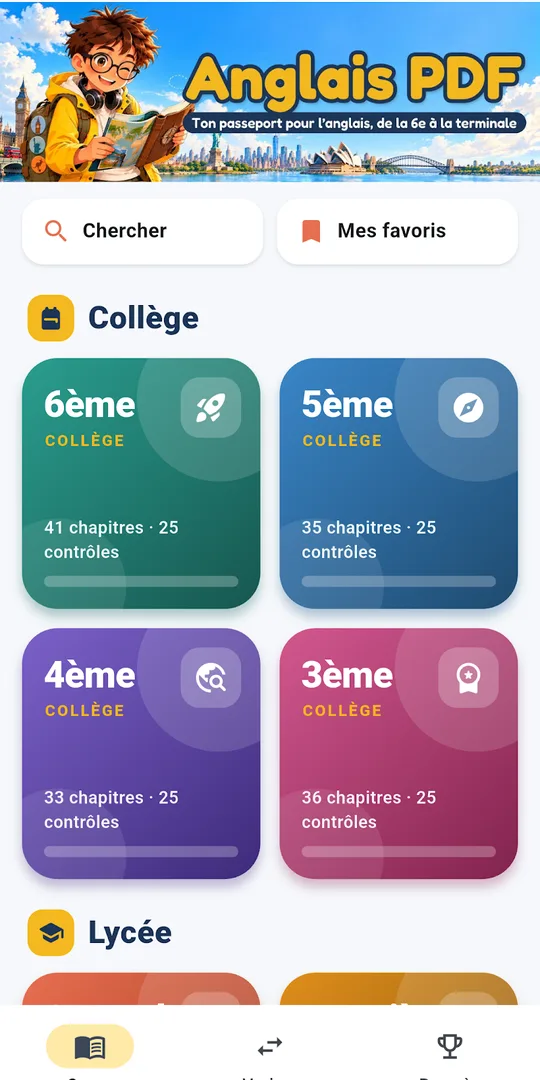
The Apprendre l’anglais app is an Android app that teaches English to French secondary pupils with lessons, worksheets, quizzes, graded tests and a list of irregular verbs. All explanations are written in French.
For an English speaker learning French, it offers something unusual: your own language explained in French, which turns revision into reading practice. It does not teach French itself, so treat it as a companion.
Get Apprendre l'anglais

At a glance
- Platform: Android
- Taught language: English
- Explained in: French
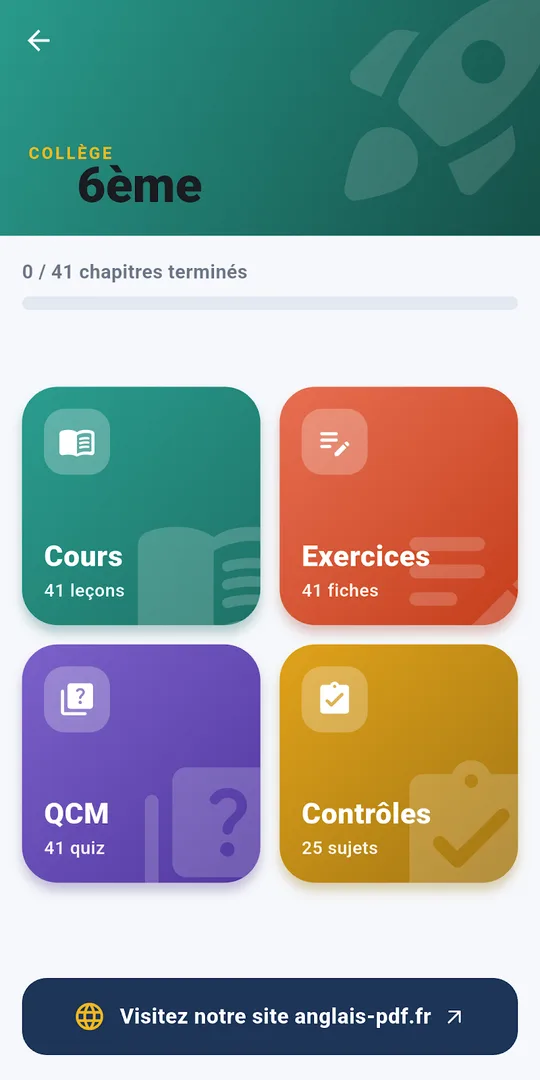
- Levels: 6ème to Terminale
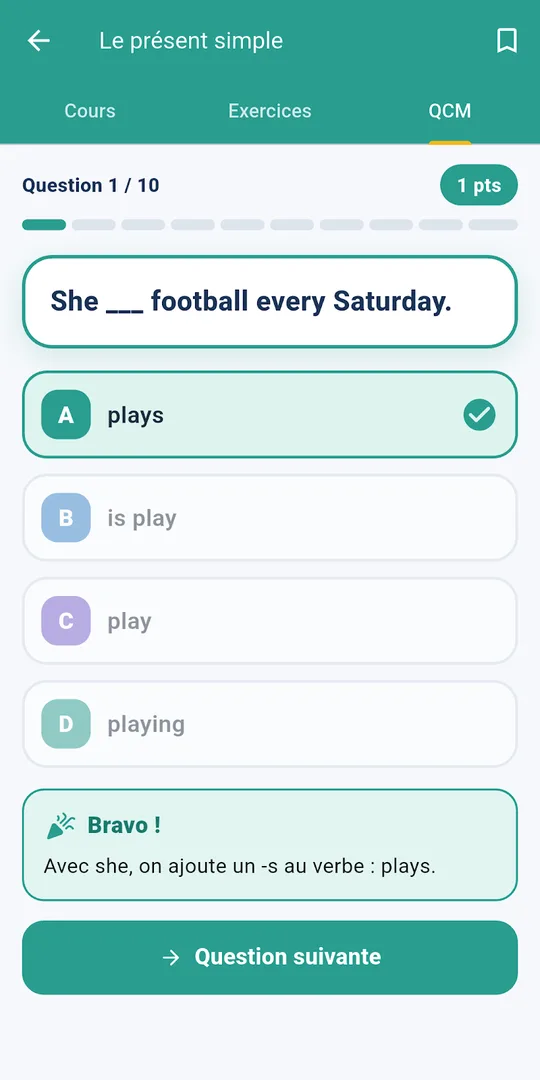
- Quizzes: 10 questions each
- Account needed: no
One evening with the Apprendre l’anglais app
Imagine a B2 learner who wants to read more French. After dinner she opens a chapter on English tenses, which she already knows, and reads how the app explains them in French. Lesson texts carry translated examples and tables, so each sentence has a French version next to it. She notes the French grammar terms, such as le présent simple or le prétérit, then runs the 10-question quiz. Because the content is familiar, her attention goes to the French wording. After twenty minutes she has met dozens of useful terms in context.
Inside the Apprendre l’anglais app
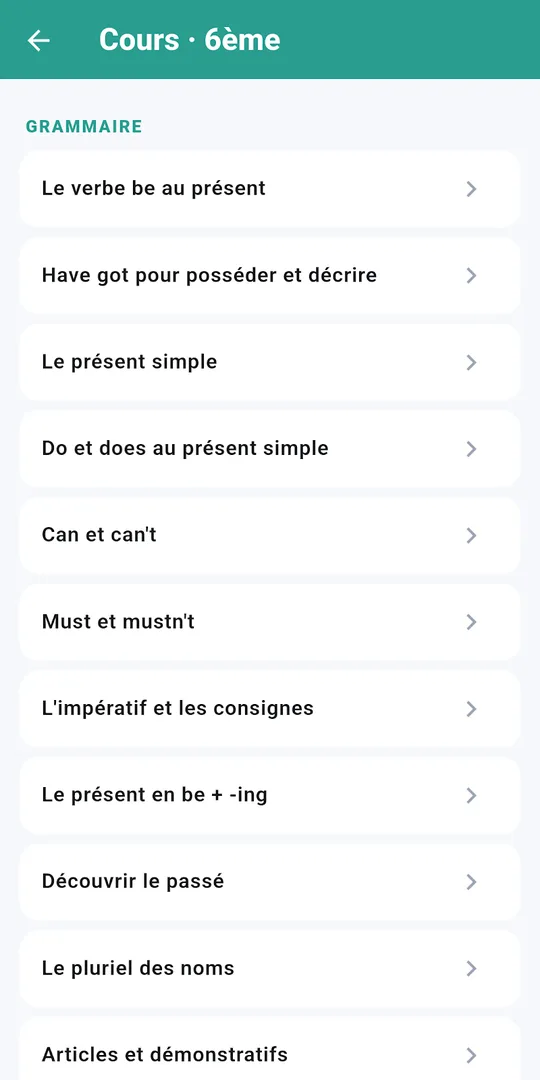
- Lessons with translated examples, tables and diagrams
- Progressive worksheets for each chapter
- Quizzes of 10 questions with sounds, colours, a final mark and personal advice
- Graded tests marked out of 20
- The list of irregular verbs, with pronunciation and examples
- Chapters on grammar, vocabulary, pronunciation, expression, comprehension, civilisation and method
Getting started with the Apprendre l’anglais app
- Install the app from Google Play.
- Pick a level from 6ème to Terminale; the content is English taught in French.
- Read the lesson and compare each English example with its French translation.
- Write down the French grammar terms you meet.
- Finish with the quiz and check the advice at the end.
Why a French learner would open an English app
Most learners improve faster when they study a subject they already master through the language they are learning. English grammar is such a subject for you. The app uses the French school vocabulary for it, so you pick up terms like auxiliaire, temps composé and verbe irrégulier without effort. You also see how French teachers compare the two languages, which explains many mistakes made by French speakers speaking English, and by you in the other direction.
Tips for using the Apprendre l’anglais app
Read the French line first and cover the English one, then check yourself. That small habit makes each lesson a double workout. Mark the verb forms you already know, and spend the saved time on the French explanations around them. Because the quizzes have only ten questions, you can finish one during a short break and still read the advice at the end. Come back to the irregular verb list when you want to hear how French teachers describe pronunciation.
How this fits with French PDF
The French PDF website teaches French to English speakers. Use the A2 worksheets for structured practice, and let the app serve as extra reading. If you are working on AP French, the AP French section sets the target while this app builds comfort with school-style French.
Compatibility
Android phones and tablets. Progress, meaning finished chapters, best marks and favourites, stays on your device. There is no account and no ad. The sources for this page do not mention an iPhone version.
Frequently asked questions
Does Apprendre l'anglais teach French?
No. It teaches English to French pupils, and the explanations are written in French. English speakers learning French can use it as reading material, because the subject is already familiar to them.
Which levels does the Apprendre l'anglais app include?
It covers six levels of French secondary school: 6ème, 5ème, 4ème, 3ème, 2de (Seconde), 1ère (Première) and Terminale. In US terms that runs from about Grade 6 to Grade 12.
Does the app include irregular verbs?
Yes. It has a list of irregular English verbs with pronunciation and examples, along with lessons, worksheets, 10-question quizzes and tests marked out of 20.
Do I need to create an account?
No account is required. Your finished chapters, best marks and favourites are stored on your device, and the app contains no ads.
