

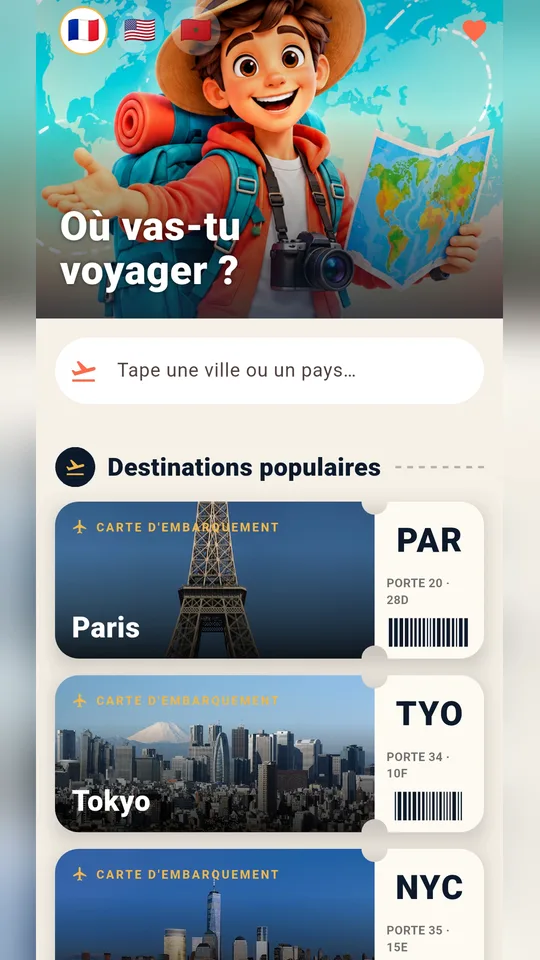
Wayfarer is a travel guide app for Android phones. Enter a destination and see what to visit, where to eat, which emergency numbers to call and which phrases to use in the local language. Its screens come in French, English or Arabic.
It is not a French course. It suits students aiming for A1 to B2 or AP French who plan a trip, an exchange or a family visit and want real French in a useful setting.

Get Wayfarer


At a glance
- Platform: Android (Google Play)
- Interface: French, English, Arabic
- Content: sights, restaurants, emergency numbers, useful phrases
- Offline: pages you have already viewed
- Account and ads: none
- iPhone: version in preparation
A day with Wayfarer on a French trip
Morning, in your hotel in Lyon or Quebec City: set the app to French using the flags on its opening page and open the destination card. Read the short description of the first sight on your list, then say it aloud in your own words.
Midday: open the eating tab and look at nearby restaurants, cafés and bars. Opening hours and phone numbers appear when they are known. Read the names and the details before you walk in, so the menu feels less foreign.
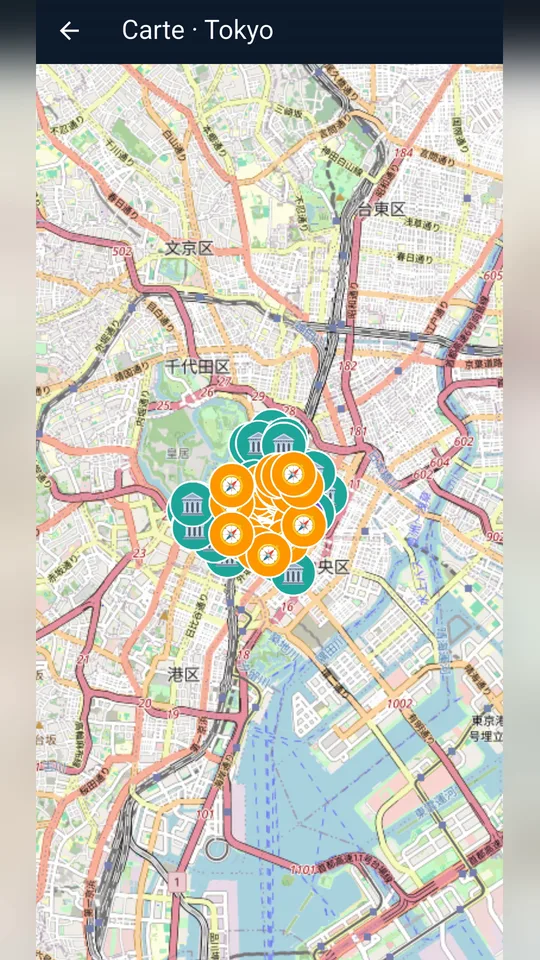
Afternoon: follow the walking route on the map, and note three new words in the notebook for that destination. Evening: add the places you liked to your favourites and write two or three sentences about your day.
What you find inside
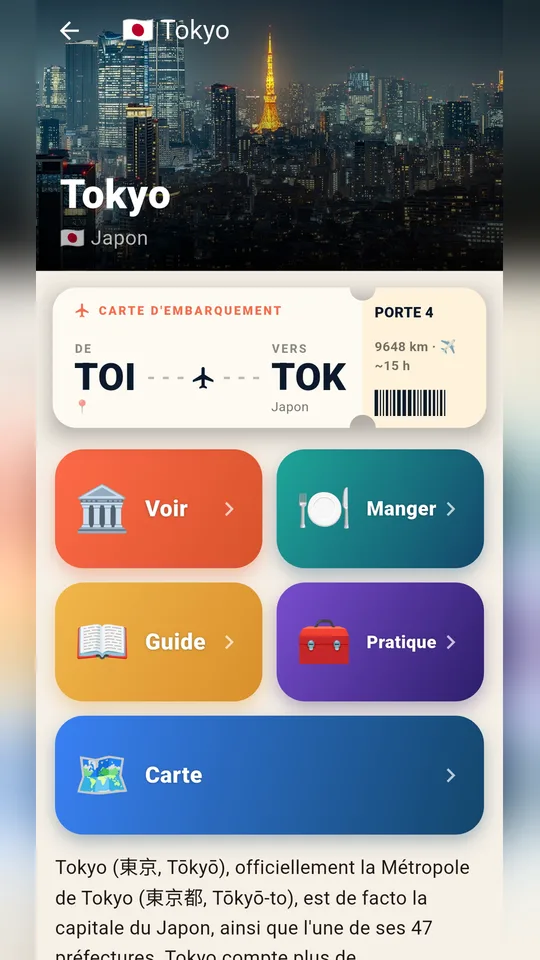
- Boarding pass: the city, its country, how far you are and roughly how long the journey takes
- See: sights on a timeline with photos, description and directions, plus day trips
- Eat: restaurants, cafés and bars around you
- Guide: entry, health and money advice, local etiquette, culture and traditions
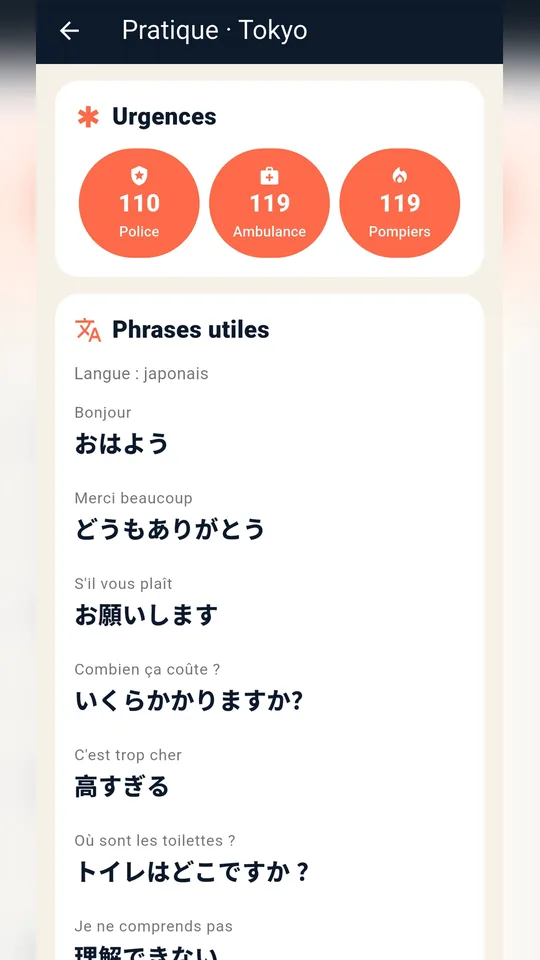
- Practical: who to call in an emergency with one tap, handy local-language phrases, a notebook
- Map: walking or driving directions inside the app
- Favourites: a list of places you want to keep
Getting started in four steps
- Search for Wayfarer on Google Play and install it.
- Choose your language from the flags at the top of the first screen: French, English or Arabic.
- Enter your destination in the search field.
- Browse the See, Eat, Guide and Practical tabs, then save favourites.
How it fits with French-Pdf
This site offers material for people studying French. Wayfarer does not teach grammar or vocabulary lists, and it should not be treated as a lesson. What it gives you is a reason to use what you have studied: reading a short description, picking out a useful phrase, writing a note.
Keep the app in French while you travel and switch to English only when something blocks you. That small habit turns a holiday into regular reading practice.
Compatibility and privacy
Wayfarer runs on Android. An iPhone version is being prepared, so it is not available there yet. Anything you have already opened can be read offline, which helps when you roam abroad with no data.
No account to create, no advertising. Your location is used only to work out routes and is never stored. Because the interface is in French, English and Arabic, it will not display in Spanish, German or other languages.
A last tip for exchange students: before you board, open the notebook and write three questions you would like to ask a local person, such as where a station is or what time a museum closes. Then look at the Practical tab for matching phrases. Checking your own sentences against the ones in the app is a quiet way to notice differences in tone and spelling, and it costs only a few minutes.
Frequently asked questions
Is there a travel guide app that works in French?
Yes. Wayfarer lets you switch its interface between French, English and Arabic with flags on the home screen. It covers sights, restaurants, a practical guide, who to call in an emergency and handy local-language phrases, and it runs on Android.
Can I use Wayfarer to practise French while travelling?
It works as reading and writing practice. Set the app to French, read the descriptions of places, say useful phrases aloud and keep short notes in the destination notebook. It does not correct mistakes or teach grammar.
Does Wayfarer work without internet?
Content you have already viewed stays available without a connection. Open the pages for your destination before you leave. Distances and directions rely on your position, which the app uses only for that purpose and never records.
Is Wayfarer available on iPhone?
Not yet. Wayfarer is available on Android through Google Play, and an iPhone version is in preparation. The interface is in French, English and Arabic only, and the app needs no account and shows no advertising.
